
Free Chrome Extension
Bulk PNG Grid Merger
Merge multiple images into a clean grid and export as PNG.
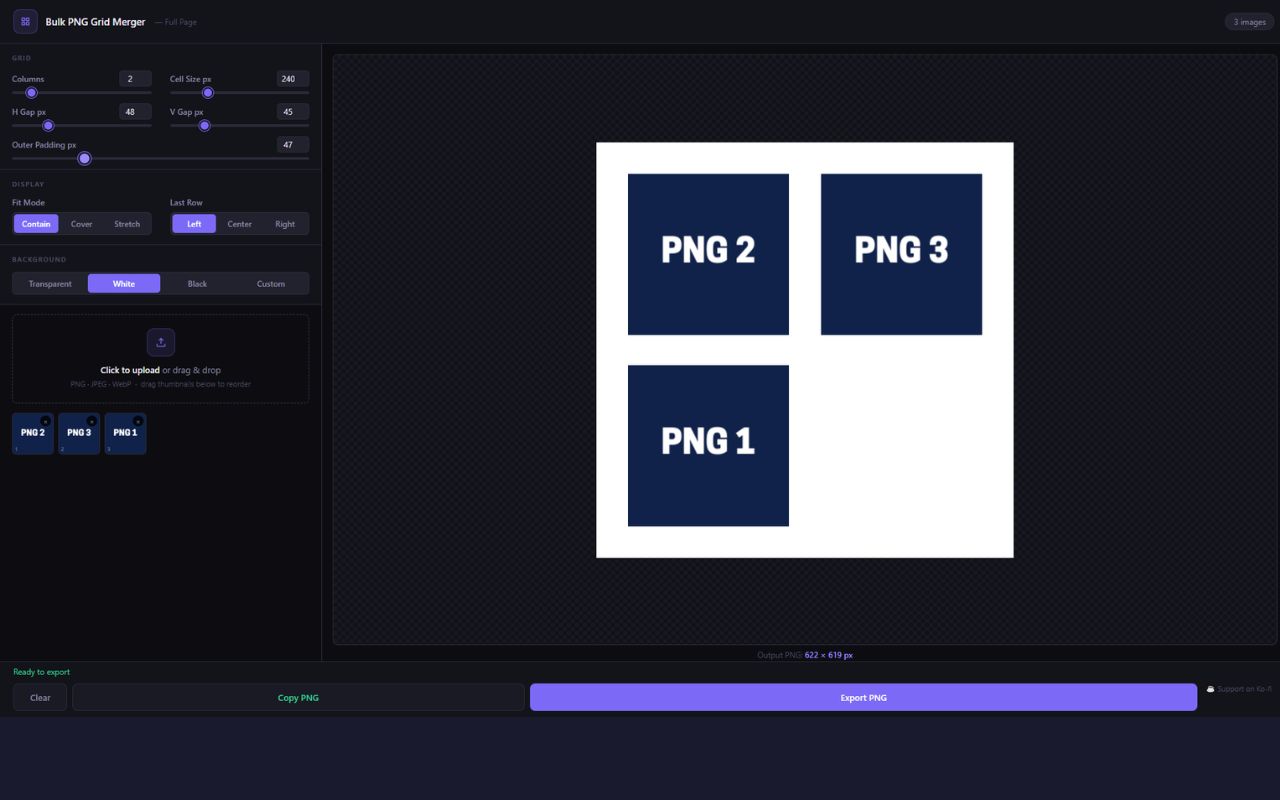
Upload as many images as you need, arrange them in a customizable grid, tweak gap and padding, and export a single transparent PNG — or copy it straight to the clipboard. Everything runs locally in your browser. No uploads, no watermarks, no limits.
✓ Completely free · No account needed · Works instantly
Everything's included
Completely free — no catch, no upsell.
- ✓Bulk image upload (PNG, JPEG, WebP)
- ✓Flexible grid (1–10 columns)
- ✓Gap and padding controls
- ✓Three fit modes: contain, cover, stretch
- ✓Last-row alignment options
- ✓Background color or transparent
- ✓Drag-to-reorder images
- ✓Live preview as you adjust
- ✓Export as transparent PNG
- ✓Copy result to clipboard
- ✓Full-page expanded view
- ✓100% local — no uploads, no watermark
- ✓Export scale multiplier (2×, 3×, 4× — retina & print quality)
- ✓Canvas size presets (Instagram 3×3, A4, Twitter/X, YouTube thumbnail)
- ✓Per-cell border (width + color)
- ✓Per-cell rounded corners
- ✓Save & load up to 10 named presets
- ✓JPEG/WebP export with quality slider
- ✓Per-cell captions/labels