
Free + Pro Chrome Extension
Cookie Combo
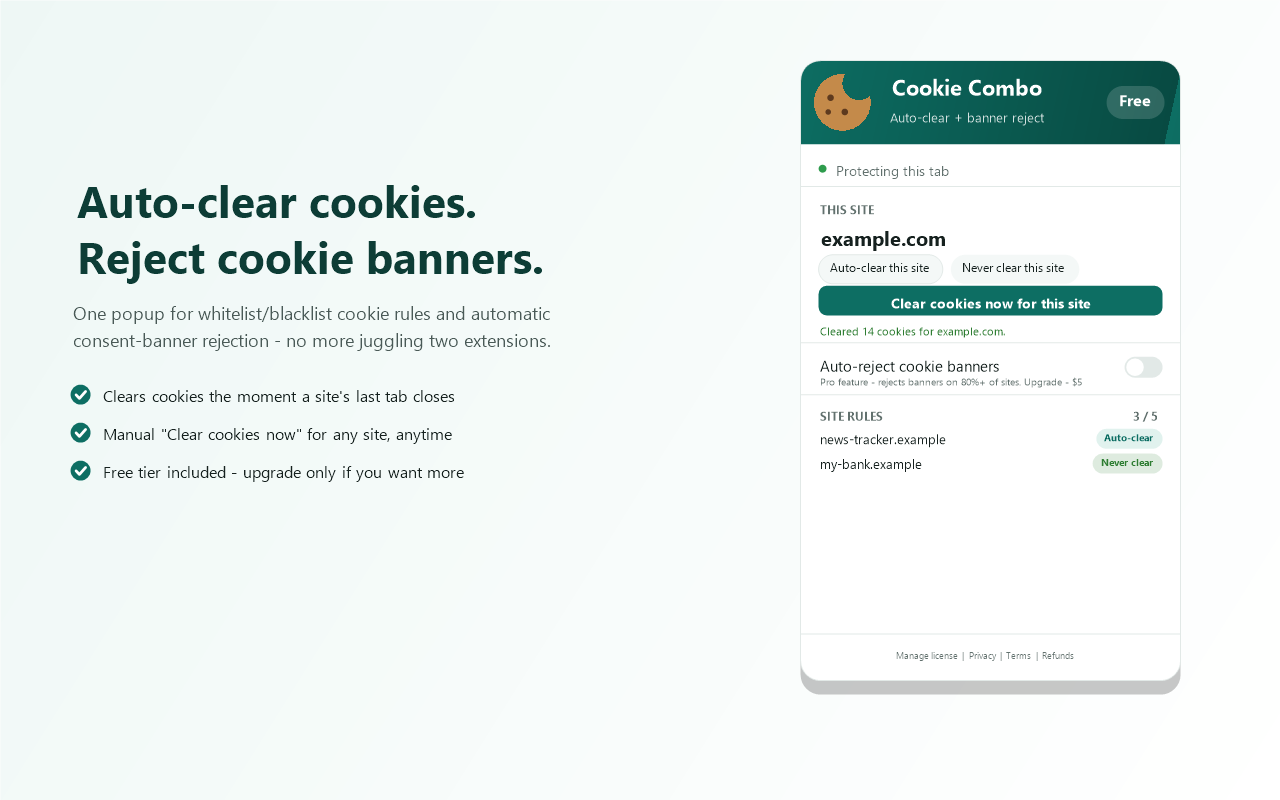
Auto-clear cookies for sites you choose, and auto-reject cookie consent banners.
Cookie Combo auto-clears cookies for the sites you choose the moment their last tab closes, and (Pro) auto-rejects cookie consent banners as you browse — no more clicking "Accept" out of habit. Two tools that usually mean two separate extensions, combined into one.
✓ Free to try · Upgrade anytime · No subscription
What's included
Start free, upgrade if you need more.
Free
Always free
$0 · No credit card
- ✓Auto-clear cookies for up to 5 sites — whitelist or blacklist
- ✓Clears cookies on tab close and full browser close
- ✓Manual "Clear cookies now" button for the current site
- ✓Simple status view — see which rule applies to the current tab
Most popular
Pro
One-time upgrade
Pay once · Yours forever
- ✓Auto-reject cookie consent banners (80%+ coverage, 1,000+ sites, 40+ languages)
- ✓Unlimited site rules — no 5-site cap
- ✓Per-cookie-type clearing — drop trackers, keep login sessions
- ✓Idle-based clearing for tabs left open for days
- ✓Clear all except whitelist — auto-clear everything by default
- ✓Deep clean — also wipes localStorage, IndexedDB, and cache
- ✓Sync rules and settings across devices via your Chrome profile
- ✓Clearing log — see what was cleared, when, and where
How to get Pro
1
Buy once
Complete checkout — takes about 60 seconds. No account needed.
2
Check your email
Your license key arrives instantly. Also shown on the confirmation page.
3
Paste & activate
Click the extension icon, open "Manage license" in the popup footer, paste your key, and hit Activate.